HRIS Migration Checklist After a PEO Exit
Sequencing your exit carefully prevents payroll gaps and compliance failures.
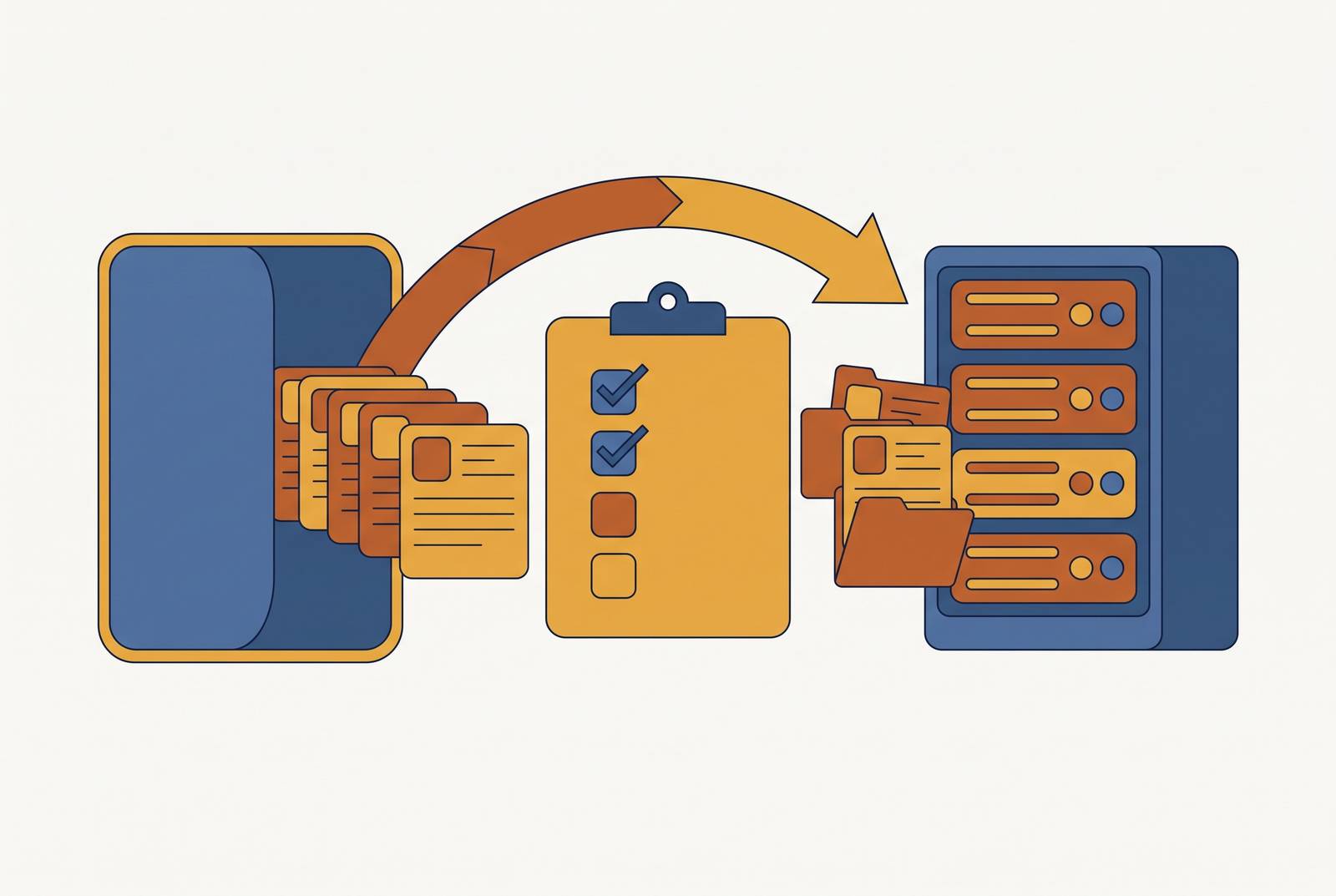
Leaving a PEO sets off a sequenced chain of operational obligations, and getting that sequence wrong is what produces gaps in payroll, benefits, and compliance. Companies arrive at the exit decision for a handful of recurring reasons. Renewal fatigue is one of the most common: PEOmetrics finds that each annual renewal turns into a defensive exercise rather than a strategic conversation about where the business is headed. Others leave because the PEO model won't bend to the workflows they actually need, so they want a different onboarding sequence, a different leave-tracking process, or a different payroll approval chain. Growth changes the math too: as headcount climbs, the bundled service stack that once looked efficient starts to cost more than unbundled alternatives would. And some companies leave simply because they want to design their own benefits, build their own HR policies, and shape culture around their own values rather than a PEO's defaults, and Lattice has documented this motivation among growing employers. None of that is the hard part. The hard part is the operational chain the exit requires, and most companies underestimate both how long that chain runs and how strictly its steps have to happen in order.
Reading your PEO contract before anything else
The PEO contract is where the migration plan actually begins, because it sets the hard constraints, the notice periods, the data export rights, the termination fees, and the coverage end dates, that define the outer bounds of everything that follows. Before any planning conversation starts, the contract needs to be read closely enough to answer a short list of questions. How many days of written notice does termination require, and who has to receive it? Does the agreement auto-renew, and if so, when does the window to opt out close? What financial exposure does the company face if notice is given before the contract term ends, a cost PEOmetrics flags as one of the most commonly underestimated line items in an exit budget? Does the company have an explicit right to receive employee records, payroll history, tax settings, and benefits elections in standard, portable formats like CSV and PDF, at no additional cost, once the relationship ends? And does the company retain any read access to historical records in the PEO's portal after the exit, or does that access shut off immediately?
The coverage end date deserves particular attention, because this is where lapses in coverage originate. Benefits under a PEO's master plan typically terminate on the last day of employment with the PEO, and that date will not automatically align with the first effective date of a new carrier's coverage. Any gap between those two dates is a gap the company is exposed to, and closing it has to be planned for explicitly. Every one of these clauses converts into a number on a budget line before leadership signs off on the exit: termination fees, the cost of any overlap period between old and new coverage, and the cost of extracting data that was never negotiated as a free deliverable at the start of the contract, as PEOmetrics notes. Skipping that financial translation is how an exit that looked affordable on paper turns expensive in execution.
Building the six-month project plan and assigning owners
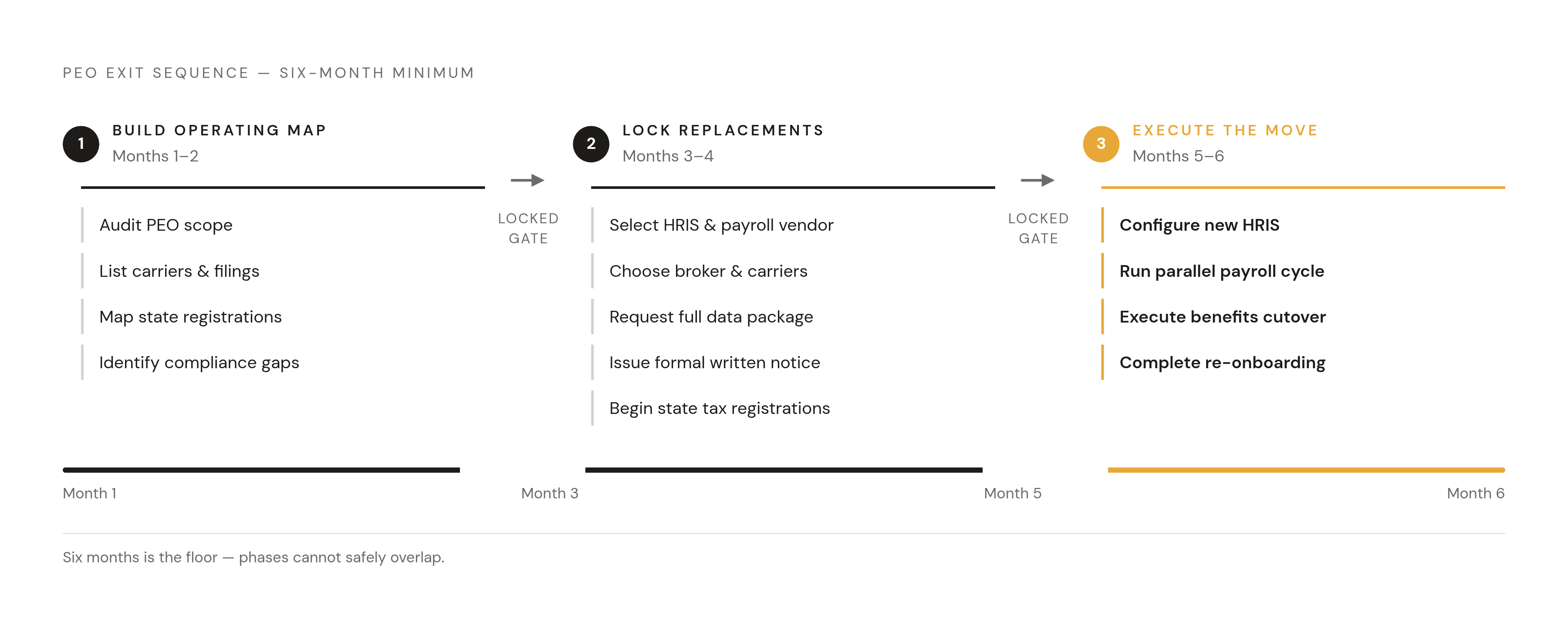
Six months is the floor for a safe PEO exit timeline, not a cushion built in for comfort. The work has to be sequenced rather than parallelized, because each phase depends on deliverables the prior phase produces. The data package from the PEO, vendor selection, system configuration, carrier negotiation, state registrations, and employee re-onboarding each carry their own lead times, and PEOmetrics finds that none of them can safely run on top of another. That's the reason a rushed 60-day exit tends to produce the exact gaps this checklist exists to prevent.
The PEOmetrics six-month framework breaks the work into three phases. The first two months are for building the operating map: auditing what the PEO currently administers, which carriers it holds master contracts with, which state registrations it holds on the company's behalf, and which compliance filings it currently owns, so the company can identify what it will need to take over. Months three and four are for locking the replacement and issuing notice: selecting the HRIS, the payroll vendor, the benefits broker, and any standalone carriers, requesting the full data package from the PEO, issuing formal written notice under the contract's terms, and beginning state employment tax registrations in any state where the PEO currently holds registrations on the company's behalf. Months five and six are for the move itself: configuring the new HRIS, running a parallel payroll cycle, executing the benefits cutover, and completing employee re-onboarding before final sign-off and handover.
None of this works without named owners assigned before the project starts. HR, payroll, finance, IT, and legal each need explicit sign-off responsibilities spelled out in advance, because PEOmetrics finds that ambiguity about who owns what is where items fall through the cracks. It also helps to time the cutover to the end of a quarter or the end of a year, which simplifies payroll and tax reporting considerably. A mid-year exit is not out of the question, but it demands tighter reconciliation discipline and closer attention to quarter-to-date and year-to-date balances throughout the transition.
Extracting and auditing the data package from the outgoing PEO
The data package coming out of the PEO is the single dependency every later step rests on. HRIS configuration, payroll setup, and benefits enrollment all depend on it, and an incomplete or unvalidated package makes every subsequent step provisional. At minimum, PEOmetrics specifies that the full package should include employee census data (names, Social Security numbers, addresses, start dates, job titles, and compensation), complete payroll history including year-to-date earnings, deductions, employer contributions, and tax withholdings, tax settings for each state where the PEO filed on the company's behalf, deduction codes and benefit election records for every enrolled employee, PTO balances as of the cutover date, COBRA status for any former employees still on continuation coverage, and any open leave cases under FMLA or state leave law along with open workers' compensation claims.
PEO data is rarely clean on arrival. Employee census data often lives in the PEO's portal, payroll adjustments sit in separate exports, PTO balances live in spreadsheets maintained outside the system of record, and benefits elections are scattered across individual carrier files. A migration plan can look complete on paper and still fail in practice if records move without the business logic behind them moving too, and PEOmetrics identifies this failure mode as one of the most common causes of post-migration cleanup. Missing year-to-date payroll figures break annual wage statement generation at year end. If PTO balances are missing, the company faces wage-and-hour disputes when employees' accrued time doesn't match what the new system shows. Missing COBRA status creates a gap in continuation coverage administration for people who are legally entitled to it.
Auditing has to happen before mapping starts, not alongside it. Record counts need validation, critical fields like Social Security numbers, addresses, and tax withholding elections need a completeness check, PTO balances need reconciliation against their source, and every COBRA-eligible individual needs to be accounted for, all before new system configuration begins. One approved source file should serve as the baseline for the whole validation effort, because if the file keeps changing, it undermines the audit itself. If the PEO issues a corrected export after configuration has already started, that correction has to be reconciled against records already loaded into the new system, not simply re-imported on top of them. PEOmetrics frames the underlying discipline as treating this as a business workstream rather than a file transfer: decide what gets moved, what gets archived, what gets rebuilt from scratch, and what gets retired, before any mapping begins. Workers' compensation claims and open leave cases need separate handling entirely, since the PEO's insurer holds the claim itself. The company needs written confirmation of how those open claims will be managed through and after the exit, and what its own obligations are if a claim is still active on the cutover date.
Configuring the new HRIS and running a parallel payroll cycle
Configuration in the new HRIS follows a strict order, and skipping ahead in that order is how errors get buried until go-live. Employee records from the validated data package load first. Workflows, approval chains, and integrations stay switched off until those records are verified in the new system. Every payroll deduction, health premiums, 401(k) contributions, HSA elections, wage garnishments, has to be recreated with the correct pre-tax or post-tax treatment, because a misclassified deduction changes an employee's net pay and the company's tax liability alike. Year-to-date payroll figures need to carry over so that Social Security wage base calculations and FUTA and SUTA credits stay correct for the rest of the calendar year. State tax settings need to be configured for every state with registered employees, and this depends on the employer account numbers you get through the state registrations already underway. Direct deposit banking information needs to be set up for every employee. And integrations should connect to the systems the company already uses, time and attendance, expense management, the 401(k) recordkeeper, rather than forcing employees to adopt new tools on top of a new payroll system.
The parallel payroll cycle is where all of this gets tested against reality. At least one full payroll cycle needs to run simultaneously in the old PEO system and the new payroll system before the new system goes live. Gross-to-net results get compared line by line for every employee, and PEOmetrics advises that any variance gets investigated before go-live. Testing needs to go beyond record counts and field values, too: an integration that imports employee data correctly but fires a benefits enrollment trigger every time it runs will generate duplicate enrollments at the carrier, a failure that looks fine in a data audit and is visible only when the carrier's side of the system is checked. PEOmetrics recommends that sign-off responsibility be split explicitly across functions: HR validates employee records and deductions, payroll validates the gross-to-net results, finance validates employer cost totals, and IT validates integrations and access controls. Timing the cutover to the end of a quarter or the end of a year reduces the year-to-date carryover complexity substantially and simplifies reconciliation between the PEO's final tax filings and the new payroll provider's first ones.
Benefits continuity: carrier setup, SPD obligations, and COBRA administration
The moment a company exits a PEO, it becomes the plan sponsor and the primary ERISA compliance owner for its benefits plans. That status carries obligations that cannot be delegated to a carrier, and every one of them needs to be operational before the first day of independent coverage. The new carrier's effective date has to align precisely with the last day of coverage under the PEO's master plan. Even a one-day gap between the two creates a lapse in coverage that the company is liable for, and employees may have claims that fall squarely into that window.
PEOmetrics notes that several ERISA obligations shift to the company the moment it exits. A carrier's certificate of coverage does not satisfy ERISA's Summary Plan Description requirement. The company has to prepare and distribute its own formal SPD that clearly explains the plan to participants, and failing to do so carries daily fines per participant. Employers sponsoring ERISA-governed group health and welfare plans with at least 100 plan participants at the start of the plan year must file Form 5500, and the penalty for failing to file is steep and accrues daily. A federal voluntary compliance program offers relief for employers who self-correct before enforcement begins: its own guidance describes it as encouraging plan administrators to file overdue annual reports at reduced civil penalties, and that relief is available only up until the administrator has been notified in writing of a failure to file. For 2025-plan-year calendar-year plans, the Form 5500 filing deadline is July 31, 2026. ACA reporting through Forms 1094-C and 1095-C becomes the company's responsibility as well, since it becomes the applicable large employer for ACA purposes once it's no longer operating under the PEO's co-employment arrangement.
COBRA administration cannot lapse at the moment of exit. Every individual currently on COBRA continuation coverage needs to be identified and accounted for as part of the handoff, so that continuation rights carry forward without interruption into the company's own benefits administration.